
Introduction
Open your company website, put the mouse aside and press the Tab key. Watch where the focus goes. Can you reach the menu, open a submenu, fill in the contact form and press the submit button? Can you close the cookie banner? Can you leave the video player once you have entered it?
For a visitor who cannot use a mouse, these questions decide whether the site works at all. People who rely on a keyboard include users of screen readers, people with motor impairments, people with a temporary injury, and anyone whose trackpad has failed on the day they need a quote. A site that fails the test loses all of them.
The standard that defines the test is the Web Content Accessibility Guidelines, published by the W3C. Success criterion 2.1.1, titled Keyboard, sits at Level A, the base level of conformance. This guide explains what the criterion requires, gives a five-step test that takes about fifteen minutes, lists the failures that appear most often on corporate sites and shows how to fix them.
What WCAG 2.1.1 Requires
The W3C text of WCAG 2.2 states the requirement for success criterion 2.1.1: all functionality of the content is operable through a keyboard interface without requiring specific timings for individual keystrokes. The only exception is a function whose underlying task depends on the path of the user’s movement and not only on its endpoints, such as freehand drawing.
The W3C Understanding page for the criterion explains the intent. A keyboard interface includes the physical keyboard, on-screen keyboards, switch devices and voice tools that send keystrokes to the page. If the page works with keystrokes, those tools work with it.
Three phrases in the criterion deserve attention.
All functionality. Menus, forms, dialogs, sliders, tabs, carousels, maps controls, file uploads and download buttons all count.
Without specific timings. A function cannot require a user to press keys at a certain speed or hold a key for a set time.
Keyboard interface. The functions have to work through the standard keystrokes: Tab, Shift+Tab, Enter, Space, the arrow keys and Escape.
Related Criteria
The keyboard test touches several neighbouring criteria in WCAG 2.2. Check them in the same session.
Criterion | Level | What it asks |
|---|---|---|
2.1.2 No Keyboard Trap | A | Focus that enters a component can also leave it by keyboard |
2.4.1 Bypass Blocks | A | A way to skip repeated blocks such as the main menu |
2.4.3 Focus Order | A | The order of focus preserves meaning and operability |
2.4.7 Focus Visible | AA | The keyboard focus indicator can be seen |
2.4.11 Focus Not Obscured (Minimum) | AA | A focused item is not entirely hidden by other content, such as a sticky header |
The last row is new in version 2.2 and affects many sites with fixed headers and cookie banners.
Why It Matters for a Corporate Website
A corporate website carries the tasks that bring in business: reading a service page, requesting a call, downloading a brochure, applying for a job, submitting a tender document. Each of those tasks ends in a form or a button. A keyboard failure at any step blocks the task for a whole group of visitors.
There is a second reason. Keyboard operability is the foundation that other accessibility work builds on. A page that a keyboard can operate usually exposes its structure correctly to screen readers and voice tools, because both depend on the same code: real links, real buttons, real form fields with labels. A keyboard test works as a quick health check for the quality of the front-end code.
Teams in the UAE should also confirm any accessibility obligations that apply to their sector or to government-linked work with their legal adviser. WCAG offers a technical reference that regulators and procurement documents often cite.
The Five-Step Keyboard Test
Run this test on your most important pages: the home page, the main service pages, the contact page and any page with a form. Allow about three minutes per page. Use a desktop browser and leave the mouse untouched.
Step 1: Tab Through the Page
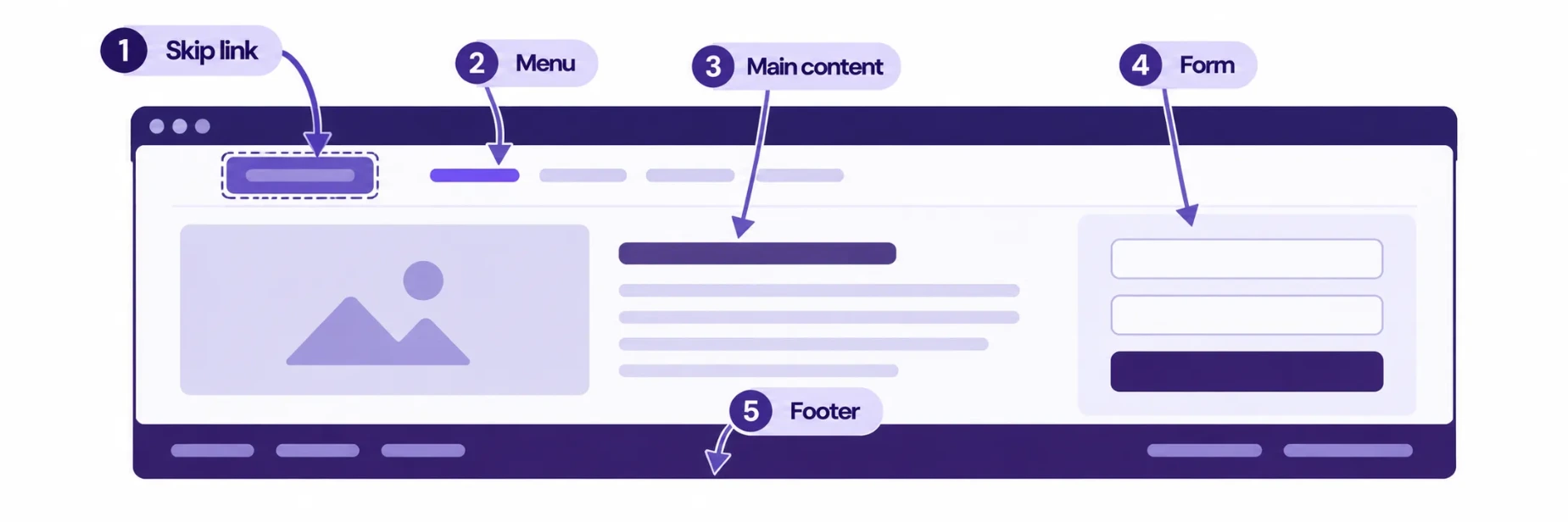
Press Tab repeatedly from the top of the page. Press Shift+Tab to move back.
Does the focus move to every link, button and form field?
Does the focus move in an order that matches the visual layout?
Is the focus indicator visible at every stop?
Does the focus reach items that should not receive it, such as hidden menus or elements behind a modal?
Note each point where the focus disappears, jumps unexpectedly or stops.
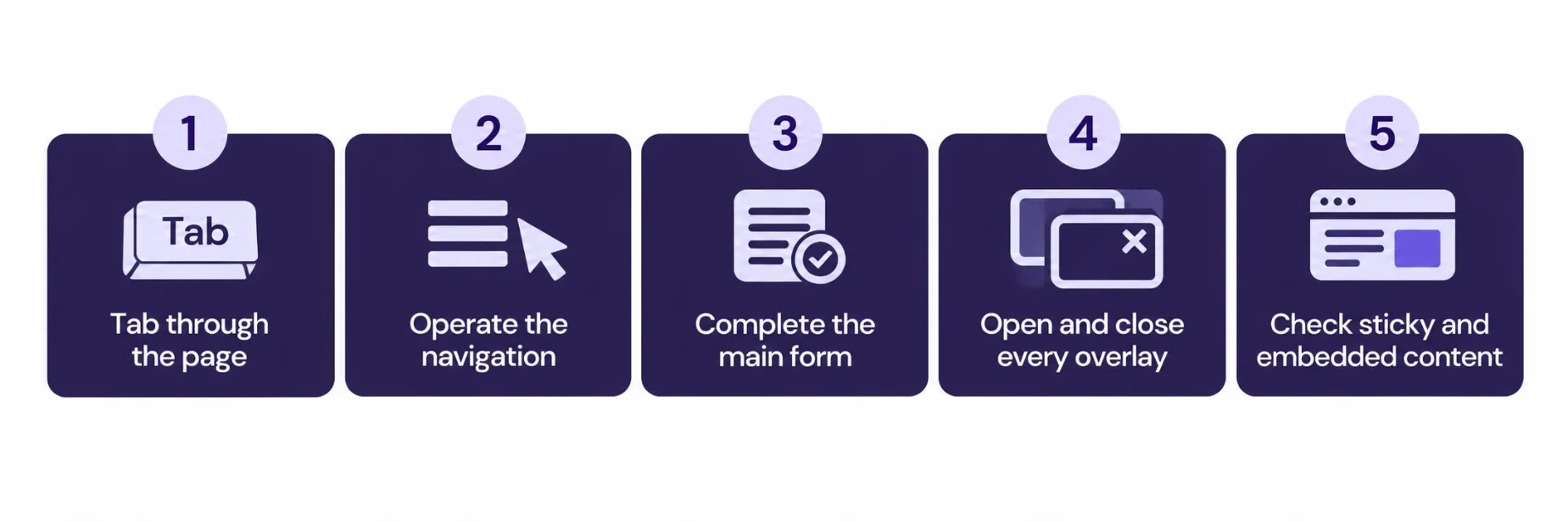
Step 2: Operate the Navigation
Use Enter and Space to activate links and buttons. Use the arrow keys and Escape inside menus.
Can you open each submenu with the keyboard?
Can you reach every item inside it?
Does Escape close the submenu and return focus to its trigger?
Is there a skip link at the top of the page that jumps to the main content?
Many sites build menus that open on mouse hover only. A keyboard user never sees the second level of such a menu.
Step 3: Complete the Main Form
Fill in the contact form using the keyboard only.
Can you reach every field in a sensible order?
Does each field have a visible label?
Can you choose from a dropdown, a date picker or a checkbox group with keys?
Are error messages reachable, and does the focus move to the first error after a failed submission?
Can you press the submit button and see the confirmation?
Test the file upload field, the consent checkbox and any captcha as well. A captcha that offers no keyboard-operable route blocks the form for some visitors.
Step 4: Open and Close Every Overlay
Overlays include cookie banners, chat widgets, pop-up forms, image galleries, video players and modal dialogs.
Does the focus move into the overlay when it opens?
Can you operate every control inside it?
Does Escape close it?
After closing, does the focus return to the element that opened it?
Can you leave the component at all? A component that holds the focus without a way out is a keyboard trap and fails criterion 2.1.2.
Step 5: Check Sticky Elements and Embedded Content
Scroll with the keyboard and watch what happens when focus reaches the lower part of the page.
Does a sticky header or footer cover the item that has focus?
Do embedded maps, videos and booking widgets accept keyboard input, and can the focus leave them?
Do carousels have pause and next controls that a keyboard can reach?
Write down every failure with the page address, the step, what you expected and what happened. A short table makes the list easy to hand over.
Failures That Appear Often
Failure | Cause | Fix |
|---|---|---|
Menu opens on hover only | Script listens for mouse events | Add focus and key handlers, or use native elements that handle both |
Clickable div or span elements | A generic element carries a click handler | Replace it with a real button or a element |
Focus outline removed | A style rule sets the outline to none | Restore a clear focus style and test its contrast |
Focus order does not match layout | Positive tabindex values or visual reordering by CSS | Remove positive values and align the source order with the visual order |
Modal does not trap focus properly or does not release it | Custom script without focus management | Move focus in on open, keep it inside, return it on close |
Sticky header hides the focused item | Fixed elements cover the scroll position | Add scroll padding so focused items stay visible |
Custom dropdown cannot be operated | Built from generic elements | Use a native select, or implement the documented keyboard pattern |
Carousel cannot be paused | Controls are missing or mouse-only | Add buttons that are focusable and labelled |
Form error appears with no focus move | Error shown visually only | Move focus to the first error and link each message to its field |
Embedded widget traps focus | Third-party code | Test the widget before adoption, and ask the supplier for a fix |
The most effective single fix is to use native HTML elements. A real button responds to Enter and Space, takes focus and announces itself to a screen reader without extra code. Generic elements need all of that built by hand, and the work is often incomplete.
Fixing the Findings
Sort the list by task importance and by effort.
Blockers first. Failures that stop a main task, such as submitting the contact form, come first.
Shared components next. A fix to the menu, the header or the cookie banner repairs every page that uses it.
Page-specific issues last. Handle individual pages after the shared parts.
Retest after each fix with the same five steps. Record the date and the tester. A short log lets you show progress to management and to anyone who asks.
Building the Test into Your Process
A single test decays. Pages change, plugins update and new campaigns add forms. Build the keyboard check into the normal cycle.
Design review. Ask designers to show focus states and keyboard behaviour for every component.
Development. Add keyboard acceptance criteria to tickets for menus, forms and overlays.
Release. Run the five-step test on the pages that changed before each release.
Third-party tools. Test chat widgets, booking tools and analytics banners when you add them and after they update.
Quarterly review. Rerun the test on the key pages every quarter, and after any redesign.
Automated scanners help with part of the work. They catch missing labels and some focus problems, and they cannot judge whether the focus order makes sense or whether a custom widget is usable. The manual keyboard test remains necessary alongside them.
Roles and Responsibilities
Role | Responsibility |
|---|---|
Website owner | Sets the standard, reviews the test log |
Designer | Specifies focus states and keyboard behaviour |
Front-end developer | Builds with native elements and fixes findings |
Content editor | Checks that forms, links and embedded items added in the editor work with a keyboard |
Quality tester | Runs the five-step test before release |
Vendor manager | Collects accessibility statements from third-party tool suppliers |
Common Mistakes
Testing with the mouse nearby. The first reflex is to click. Move the mouse away.
Judging by looks. A page can look perfect and still fail every keyboard step.
Hiding the focus outline for design reasons. Users lose their place and the page fails Focus Visible.
Testing the desktop layout only. The mobile menu is a separate component and needs its own check with an external keyboard.
Trusting third-party widgets. Chat and booking tools are part of your site in the eyes of the visitor.
Running the test once. New content brings new failures.
Conclusion
WCAG 2.2 success criterion 2.1.1 asks that all functionality works through a keyboard interface without timing demands. A fifteen-minute test of tabbing, navigation, forms, overlays and sticky elements shows where a corporate website falls short today. Native HTML elements, visible focus styles and a short check at each release keep it passing. The result serves the visitors who depend on a keyboard and improves the code quality for everyone.
Teams that want a review of their website front end can look at SSD4ME’s web development and design services and the Enterprise Software Consulting team.
Frequently Asked Questions
All functionality of a page must be operable through a keyboard interface, and no function may demand specific timings for individual keystrokes. The only exception covers tasks that depend on the path of movement, such as freehand drawing.
It is Level A, the base level of conformance in WCAG 2.2.
About three minutes per page for the five steps. Ten key pages take around half an hour.
They find part of the problems, such as missing labels. They cannot judge focus order or the usability of custom widgets, so the manual test remains necessary.
The criterion covers any keyboard interface, including external keyboards connected to phones and tablets and the switch or voice tools that send keystrokes. Test the mobile menu with an external keyboard.
Replace clickable generic elements with native buttons and links, and restore a visible focus outline. Those two changes remove a large share of the failures on typical corporate sites.