
Introduction
A customer writes to ask what personal data your company holds about them and asks you to correct one field. The request looks small. Answering it means searching the contacts list, the sales history, the support tickets, the email threads attached to each record, the spreadsheets exported last quarter and the test copy of the database that a developer built in the spring. Each of those places holds the same person in a different form.
Personal data in an ERP rarely stays where the original form put it. It moves into notes, attachments, reports, exports, backups and integrations. A team that has not mapped those places cannot answer a data request quickly, and cannot show a regulator that it knows what it holds.
This guide sets out a four-pass method for building that map: modules, fields, exports and copies, and retention with ownership. It starts with what the UAE Personal Data Protection Law asks of a business, then walks through each pass with examples from Odoo-style ERP systems, and ends with a 60-minute exercise a team can run this month.
What the UAE Personal Data Protection Law Asks of Your ERP
The UAE Personal Data Protection Law is Federal Decree-Law No. 45 of 2021. The official text sets out several points that apply directly to an ERP.
Scope. Article 2 applies the law to data subjects residing in the State or having a place of business in it, and to controllers and processors residing in the State, for processing inside and outside the State. It also covers controllers and processors outside the State that process the data of data subjects inside it. The law excludes certain categories, including government data, health data and banking and credit data that have their own legislation, and free-zone entities that have their own data protection rules. A business in a free zone needs to confirm which regime applies to it.
Definitions. Article 1 defines personal data as any data related to a specific natural person who can be identified directly or indirectly. Sensitive personal data adds categories such as family information, ethnic origin, political or philosophical opinions, religious beliefs, criminal record, biometric data and health, genetic or sexual condition.
Rights of the data subject. The text gives people the right to information about the data processed and its purposes (Article 13), data portability in an orderly and machine-readable form in listed cases (Article 14), correction of inaccurate data and completion of incomplete data without undue delay (Article 15), erasure in listed cases (Article 15), restriction of processing (Article 16), objection to certain processing such as direct marketing (Article 17) and objection to automated decisions with legal or adverse effects (Article 18).
Duties of the controller. Article 7 requires a record of personal data processing that can be submitted to the regulator on request, and security measures suited to the risk. Article 9 requires notification of a breach that would prejudice privacy, confidentiality or security, with the timing set by executive regulations. Article 5 limits retention to the period the purpose requires, unless the data is anonymised. Articles 10 to 12 cover the data protection officer in listed cases, and Article 21 requires an impact assessment before high-risk processing.
Each of those duties depends on one capability: knowing where the data sits. The four passes below build that capability.
Why an ERP Is a Hard Place to Find Personal Data
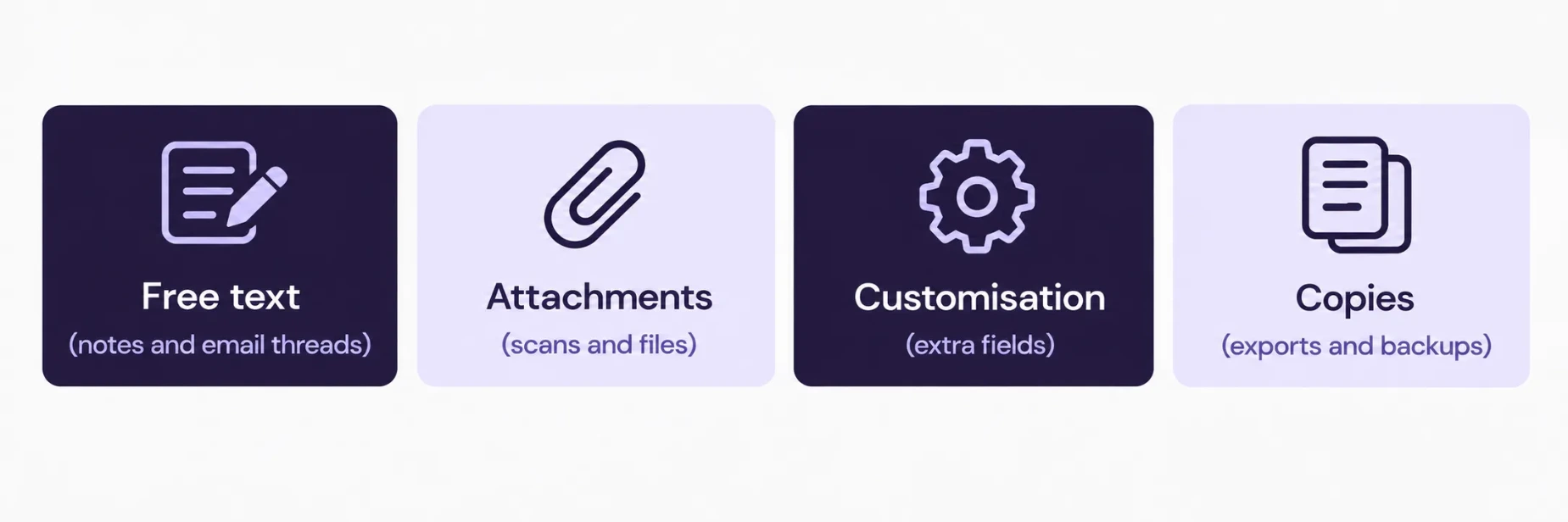
An ERP combines many functions in one database. Sales, purchasing, accounting, HR, support and the website all write to it, and each function stores personal data for its own reason. Four habits make the data hard to see.
Free text. Notes, email threads and chatter messages hold names, phone numbers and sometimes health or family details that nobody entered into a structured field.
Attachments. Scans of identity documents, medical certificates, contracts and CVs sit as files attached to records, outside any field list.
Customisation. Developers add custom fields over the years. The people who read the system today may not know those fields exist.
Copies. Exports, scheduled reports, backups, test databases and integration payloads each hold a snapshot of the data that has its own life.
A map has to cover all four habits, which is why it takes passes and not a single list.
Pass 1: Modules
Start with the applications that are installed. List every one of them, switch off nothing and ask one question for each: does this application store information about a person?
Application | Typical personal data | Typical owner |
|---|---|---|
Contacts and CRM | Names, phones, emails, job titles, notes | Sales lead |
Sales and Purchase | Delivery contacts, individual suppliers, order history | Sales or procurement lead |
Accounting | Bank details of individuals, payment history | Finance manager |
Employees and Payroll | ID and passport numbers, bank accounts, salary, emergency contacts | HR manager |
Recruitment | CVs, interview notes, contact details | HR manager |
Helpdesk and Field Service | Ticket text, addresses, attachments | Support lead |
Website and Forms | Form submissions, newsletter sign-ups | Marketing lead |
Point of Sale and Loyalty | Customer names, phone numbers, purchase history | Retail manager |
The table is a starting point. Add the applications your system runs, and name one person who is accountable for the data in each.
Record two facts per application: the number of records that hold personal data, and the date the oldest record was created. The second fact matters in Pass 4.
Pass 2: Fields
Inside each application, find the fields that hold personal data. Three groups cover most of what a team finds.
Direct identifiers. Names, phone numbers, email addresses, addresses, ID numbers, passport numbers and dates of birth.
Financial and employment fields. Bank account and IBAN details of individuals, salary, tax identifiers and contract terms.
Sensitive fields. Health information such as medical certificates attached to leave requests, biometric data from attendance devices, and family details such as emergency contacts. These fall under the sensitive category in Article 1 and call for tighter access.
Standard fields are easy to list. Three other sources need extra effort.
Custom fields. Ask the developer for the list of fields added to the standard system, with the name and purpose of each. A field called “x_studio_notes” tells nobody what it holds.
Free-text fields. Pick ten records at random and read their notes and email threads. The sample shows how often a phone number or a health detail ends up in free text.
Attachments. Count the files attached to employee, customer and supplier records, and check what kinds of document they are. Identity scans deserve a separate line in the map.
For each field, record the purpose it serves. A field without a purpose is a field to question, because Article 5 limits processing to what the purpose requires.
Pass 3: Exports and Copies
Passes 1 and 2 describe the live system. Pass 3 describes everything that left it.
Saved exports and spreadsheets. People export lists to Excel for mailings, reports and reconciliations. Those files live on laptops, in email and in shared folders, long after the original need ended.
Scheduled reports. A report emailed every Monday to twelve people puts a copy of the data in twelve mailboxes every week.
Test and staging databases. A copy of production built for testing holds real names and numbers, often with weaker access controls than the live system.
Backups. Backups hold everything, including records deleted from the live system after the backup was taken.
Integrations. Each connected application receives data, and its logs may store request payloads with personal fields.
For each item, write down four things: what it contains, who can run it or open it, where it is stored and how long it stays. The question “who can run each export” deserves particular attention. Access rights set at go-live often allow far more people to export data than the business intends.
Test databases offer a quick win. If a staging copy holds real personal data, the team can mask names, phones and emails during the copy and remove the exposure at once.
Pass 4: Retention and Ownership
Article 5 does not allow data to be kept after the purpose of processing has been exhausted, except where the data is anonymised. In an ERP the rule collides with a second obligation: accounting and tax records follow their own retention periods, and posted accounting entries cannot simply be deleted. The map has to show both.
For each data set in the map, record:
The purpose. Why the business holds it.
The retention period. How long it stays, and which rule sets that period. Confirm tax and commercial record periods with the Federal Tax Authority or your legal adviser.
The owner. The person who decides when it goes.
The deletion route. What happens at the end: delete, archive, or anonymise. Anonymising a contact record while keeping the accounting entry that refers to it is a common way to satisfy both obligations.
Without an owner and a route, retention remains a statement of intent. Name the person, write the route and set a review date.
Handling a Data Request with the Map
When a customer or employee sends a request, the map turns an open search into a checklist.
Confirm identity. Make sure the person asking is the person the data describes.
Search by the map. Run through the modules in Pass 1, the free-text and attachment sources in Pass 2, and the exports and copies in Pass 3.
Compile what was found. One list, with the source of each item.
Decide with the owner. Correction, erasure, restriction or refusal, with the reason recorded. The law lets a controller refuse certain requests, and the decision belongs to a named person.
Respond and log. Keep a record of the request, the decision and the date.
The law leaves some timing details to executive regulations, so agree an internal response time and confirm any statutory limit with legal counsel. The record of each request also supports the Article 7 duty to maintain a record of processing.
The 60-Minute Mapping Exercise
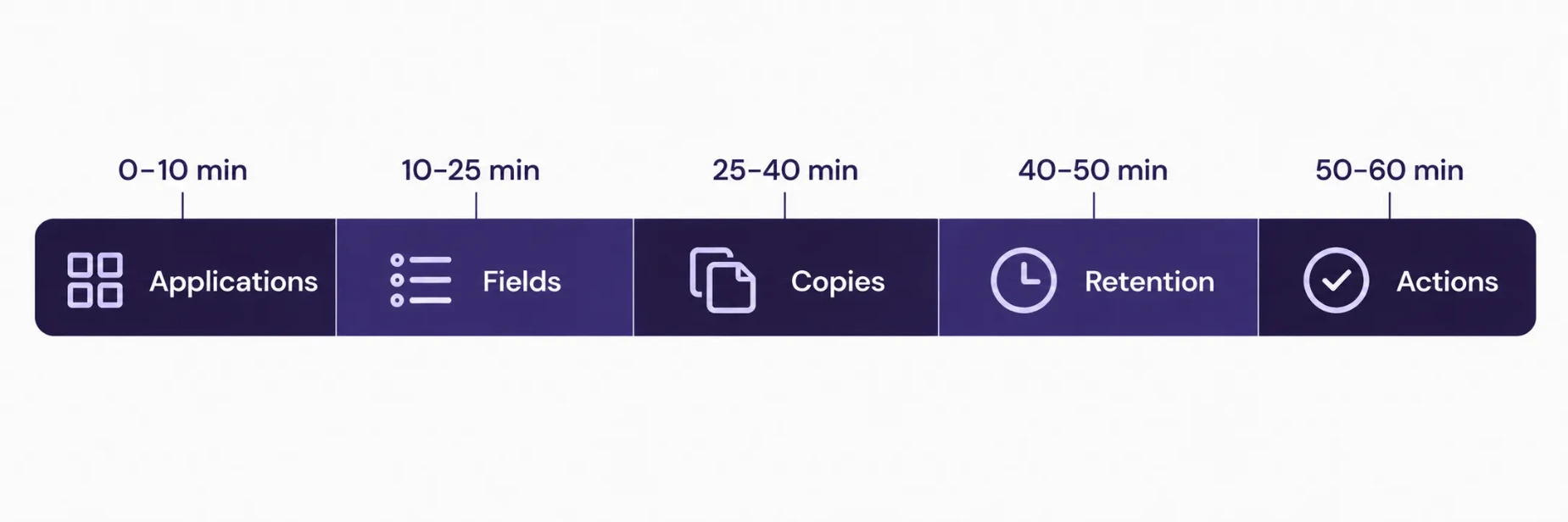
A small group can build the first version of the map in one hour.
Minutes | Activity | Output |
|---|---|---|
0–10 | List installed applications and name an owner for each | Module table |
10–25 | Walk each application and mark the personal fields, including custom fields | Field list |
25–40 | List exports, scheduled reports, test databases, backups and integrations | Copy list |
40–50 | Record purpose, retention period and deletion route for each data set | Retention column |
50–60 | Agree actions, owners and a review date | Action list |
Bring the system administrator, an HR representative, a finance representative and someone who runs customer support. Each of them knows places that the others do not.
Common Gaps
Spreadsheets with no owner. Exports pulled years ago remain in shared folders.
Staging data left unmasked. The test copy holds production names and numbers.
Identity scans in attachments. Files sit on employee and supplier records with broad read access.
Former employees. Their records stay in HR and in mailing lists after they leave.
Integration logs. Request logs store full payloads with personal fields.
No review date. Retention rules exist on paper and nobody checks them.
Roles and Responsibilities
Role | Responsibility |
|---|---|
Data owner per application | Accountable for the data, the purpose and the retention period |
System administrator | Access rights, exports, backups, test databases |
HR manager | Employee and candidate data, including sensitive categories |
Finance manager | Bank details, retention of accounting records |
Legal or compliance lead | Decisions on requests, free-zone and regime questions, breach assessment |
Management | Reviews the map and the action list every quarter |
Conclusion
Personal data in an ERP sits in applications, fields, free text, attachments and the copies that leave the system. The UAE Personal Data Protection Law asks a business to hold only what its purpose requires, to keep a record of processing, to secure the data and to answer people about what it holds. A four-pass map of modules, fields, exports and copies, and retention with ownership gives a team the means to do all four.
Teams that want help reviewing an existing ERP environment can look at SSD4ME’s Odoo ERP services and the Enterprise Software Consulting team.
Frequently Asked Questions
It applies to controllers and processors in the UAE for processing inside and outside the State, and to those outside the State that process the data of people inside it. The law excludes certain categories, including government data, health data and banking and credit data with their own legislation, and free-zone entities with their own data protection rules. Confirm which regime covers your entity.
Any data related to a specific person who can be identified directly or indirectly. In an ERP that includes names, phone numbers, emails, addresses, ID numbers, bank details of individuals and salary, and also free-text notes and attached documents that mention a person.
The law’s definition covers categories such as family information, ethnic origin, political or philosophical opinions, religious beliefs, criminal record, biometric data and health, genetic or sexual condition. In an ERP the most common examples are medical certificates attached to leave requests, biometric attendance data and family details held as emergency contacts.
Posted accounting entries follow their own retention rules and cannot simply be deleted. A common approach is to anonymise the personal details on the contact record after the retention period while the accounting entries stay in place. Confirm the retention period with the Federal Tax Authority or your legal adviser.
Requires a special record of personal data processing that can be submitted to the regulator on request. The map from this guide gives a team the main content for that record: what data it holds, for what purpose, where it sits, who can access it and how long it stays.
Review it every quarter, and again whenever the team installs a new application, adds a custom field or connects a new integration. Each change adds a place where personal data can sit.