
Introduction
An inbox with four hundred monitoring emails a week trains people to ignore it. After a month, the team stops reading the subject lines. After three months, a real warning about a full disk or a failed backup arrives in the same stream and gets the same treatment as the noise around it.
Monitoring exists to give a team early notice of problems. When most alerts lead to no action, that purpose is lost, even though every tool is switched on and every threshold is set. The fix is a short, regular review that decides what each alert is for, who answers it and what happens next.
This guide sets out a method for that review: take an inventory, classify every alert, assign an owner and a runbook, and remove what nobody uses. It closes with a 45-minute monthly agenda and examples from the ERP layer, where many teams have the least coverage.
What Continuous Monitoring Is For
The US National Institute of Standards and Technology describes the purpose well. In NIST Special Publication 800-137, information security continuous monitoring is defined as maintaining ongoing awareness of information security, vulnerabilities and threats to support organisational risk decisions. The publication describes monitoring as giving visibility into assets, into threats and vulnerabilities, and into how well controls work. It also places a review and update step in the process, so the monitoring programme itself is examined and adjusted over time.
Two conclusions follow for a business of any size.
Monitoring serves decisions. An alert has value when someone can decide something because of it.
The monitoring setup needs maintenance. Systems change, thresholds drift and teams reorganise. A configuration written two years ago describes a system that no longer exists.
Signs That Alerts Have Become Noise
Five signs show up across most teams.
Unread channels. The alert channel has hundreds of unread messages and nobody remembers the last time it was emptied.
Muted rules. Individuals have created filters that send alerts to a folder.
Repeat alerts. The same warning fires every day for months, and the standard response is to wait for it to clear.
Unknown owners. Nobody can say who should answer a given alert.
Surprise incidents. The team learns about outages from users and finds the alert afterwards, buried in the stream.
Two or more of these signs mean the alert set needs a review.
Step 1: Take an Inventory
List every alert that can reach a person: emails, chat notifications, text messages, paging tools and dashboard banners. For each one, record:
The name and the system it watches
The condition that triggers it
How many times it fired in the last 90 days
How many times someone acted on it
Who receives it
Most monitoring tools can export firing history. For tools that cannot, a week of manual tallying in a shared sheet gives enough data to start.
The two counts, fired and acted on, carry the whole exercise. An alert that fired two hundred times and led to action twice has a ratio of one in a hundred. An alert that fired three times and led to action three times has earned its place.
Step 2: Classify Every Alert
Each alert goes into one of four classes, based on what should happen when it fires.
Class | Meaning | Response |
|---|---|---|
Page now | A service is down or about to be, and users are affected or soon will be | Someone is notified immediately, at any hour |
Ticket today | A problem needs fixing within a working day, with no immediate user impact | A ticket is created automatically and assigned |
Dashboard | Useful context for trend reviews | Visible on a dashboard, no notification |
Delete | Nobody acts on it and nobody will | Removed |
Apply a simple test to each alert: if it fires at 3 a.m., should someone wake up? A yes places it in the first class. A no means it belongs in one of the other three, and most alerts belong in the last two.
Teams doing this for the first time usually find that the page-now class is small, often fewer than ten alerts, and that most of the rest belong on a dashboard or in the delete class.

Step 3: Assign an Owner and a Runbook
Every alert that remains needs two things.
A named owner. One person or one team is responsible for responding. A shared inbox or an all-staff channel has no owner.
A runbook. A short document that states what the alert means, how to confirm it, the first three things to check and when to escalate. A good runbook fits on one screen and can be followed by someone seeing the alert for the first time.
Link the runbook from the alert itself. A responder woken at night should have the next step one click away.
Step 4: Remove What Nobody Acts On
The inventory shows which alerts have fired many times without action. Each of these gets one of four treatments.
Change the threshold. If the alert fires at 70% disk usage and the team starts to care at 90%, the threshold sits too low.
Change the class. Move it from a notification to a dashboard.
Combine related alerts. Ten alerts about one failing server become one alert about the server.
Delete it. An alert type with no action in 90 days goes, and the decision is recorded so it can be restored if the need appears.
Deleting alerts can feel risky. The record of the decision and the 90-day evidence make it a controlled change, and the remaining alerts become easier to see.
Alerts at the ERP Layer
Infrastructure monitoring usually covers servers, disks, memory and network. ERP-specific failures often sit outside that coverage, even though they stop business processes. Five alerts are worth adding to the page-now or ticket-today classes for an Odoo environment.
Failed scheduled actions. Scheduled actions run invoicing, reminders, stock reservations and integrations. A scheduled action that fails every night goes unnoticed until someone asks why invoices are missing.
Mail queue backlog. A growing queue of outgoing messages means quotations, invoices and notifications are not reaching their recipients.
Backup failure or age. Alert when the last successful backup is older than expected, and test restores on a schedule.
Disk and database growth trend. A trend alert that warns two weeks before a disk fills gives time to act in working hours.
Certificate expiry. Alert at 30, 14 and 7 days before an SSL certificate expires. Certificate lifetimes are getting shorter, which means more renewals per year.
Each of these has a clear owner, a clear action and a business consequence, which makes them strong candidates for the top classes.
The 45-Minute Monthly Review
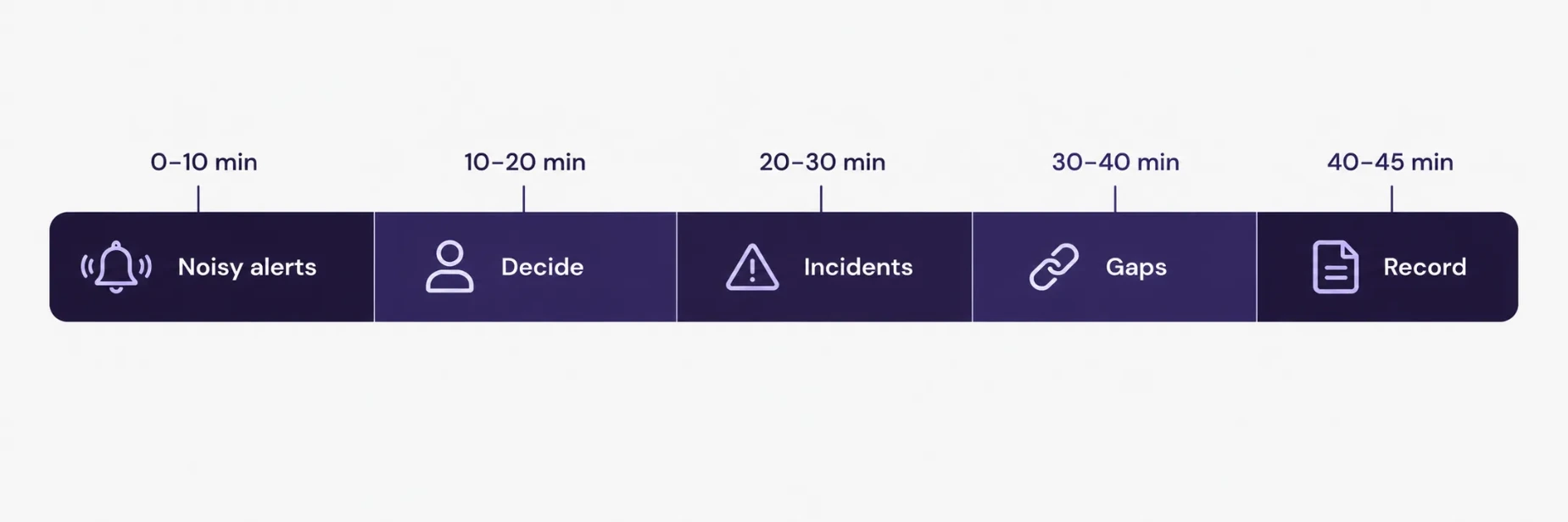
A standing monthly meeting keeps the alert set healthy. A 45-minute agenda works for most teams.
Minutes | Item |
|---|---|
0–10 | Review the top ten noisiest alerts: fired count against acted-on count |
10–20 | For each, choose a treatment: adjust, reclassify, combine or delete |
20–30 | Review incidents from the month: was there an alert, did it fire, did the right person see it |
30–40 | Check coverage gaps: new systems, new integrations, new risks |
40–45 | Record decisions and assign actions |
The incident review in the middle of the agenda is the most useful part. For every incident, ask whether an alert fired, whether it reached the right person and whether the response matched the runbook. A missed alert leads to a new rule. A noisy alert that buried a real one leads to a change.
Metrics to Track
Three numbers show progress month over month.
Actionable ratio: the share of alerts that led to action. The target is a steady rise.
Page-now volume per week: the count of immediate notifications. A healthy number is low enough for the on-call person to treat each one seriously.
Time to acknowledge: the minutes between an alert firing and a person confirming it. A falling number means the alerts are being read.
Report all three to the person who owns operations. Numbers that improve over a quarter show the review is working.
Common Mistakes
Adding alerts after every incident without removing any. The set grows until it becomes unreadable.
Sending everything to everyone. A broad audience produces a collective shrug.
Setting thresholds once. Systems grow, and thresholds need adjusting with them.
Skipping the runbook. An alert without a next step creates stress and delay.
Reviewing only after an outage. A scheduled review catches problems when they are cheap.
Conclusion
A small number of alerts that people trust protects a business better than a large number that people ignore. The method is simple: inventory the alerts, classify each one, give each an owner and a runbook, remove the ones nobody acts on, and review the set every month. Adding ERP-layer alerts for scheduled actions, mail queues, backups, disk growth and certificates covers the failures that stop business processes.
Teams that want to review their monitoring and hosting setup can look at SSD4ME’s Infrastructure Solutions and Cloud Hosting services.
Frequently Asked Questions
Alert fatigue happens when a team receives so many notifications that people stop reading them. Important warnings then get the same treatment as noise and are missed or delayed.
Only conditions that need immediate action, where users are affected or soon will be. Most teams find this list is short once they classify their alerts, often fewer than ten.
A short description of what the alert means, how to confirm it, the first checks to run, the actions that usually resolve it and the point at which to escalate. It should fit on one screen and link directly from the alert.
Count how often it fired and how often someone acted on it over the last 90 days. An alert with no action in that period is a candidate for deletion, or for a move to a dashboard. Record the decision so it can be reversed.
Failed scheduled actions, a growing mail queue, backup failure or age, disk and database growth, and certificate expiry. Each one has a direct business consequence and a clear owner.
Monthly. A 45-minute meeting that reviews the noisiest alerts, the month’s incidents and any coverage gaps keeps the alert set accurate. NIST’s continuous monitoring guidance includes a review and update step for the same reason.