
Introduction
A supplier’s bank account number changes on a Tuesday. The next payment run sends money to the new account. Two weeks later the real supplier asks why they have not been paid. Finance now needs three answers within an hour: who made the change, when it was made, and what the old value was.
An ERP that records those three facts turns the question into a two-minute lookup. An ERP that does not turns it into an investigation across emails, chat messages and memory. The same applies to price lists, payment terms, tax settings, user permissions and posted journal entries. Every field that moves money or reports money needs a trail.
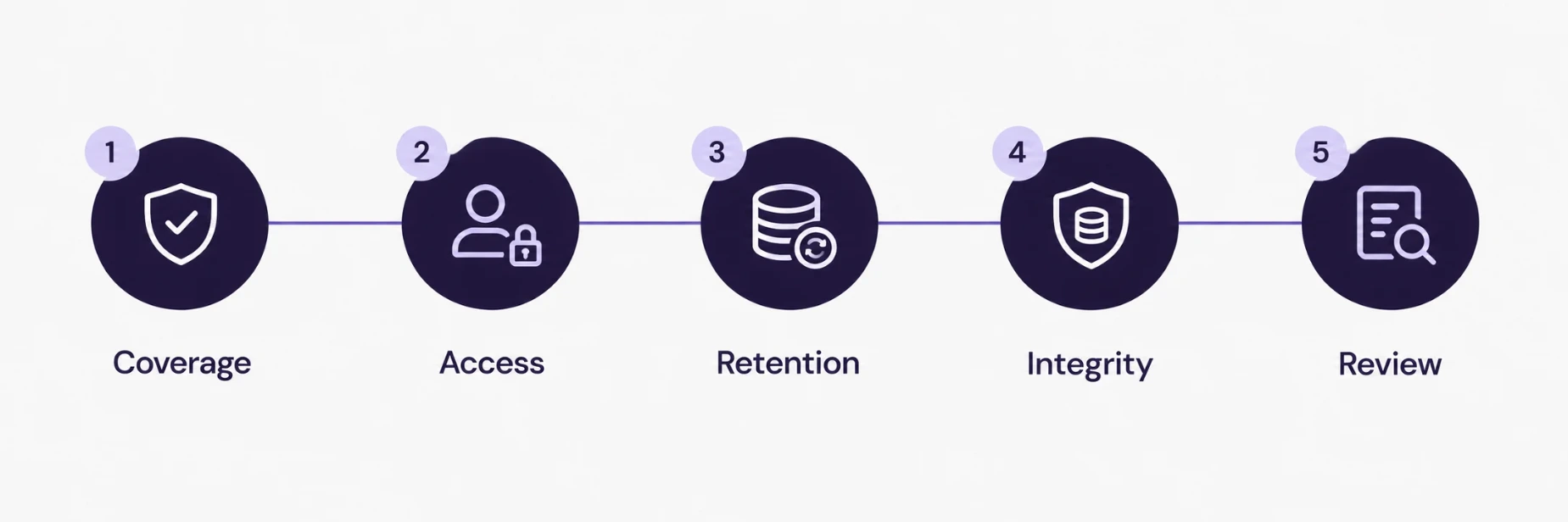
This guide lists five checks that show whether your ERP keeps a usable audit trail, a 30-minute test that anyone in finance can run, and the habits that keep the trail reliable once it exists. The examples use Odoo, and the checks apply to any ERP.
What an Audit Trail Has to Record
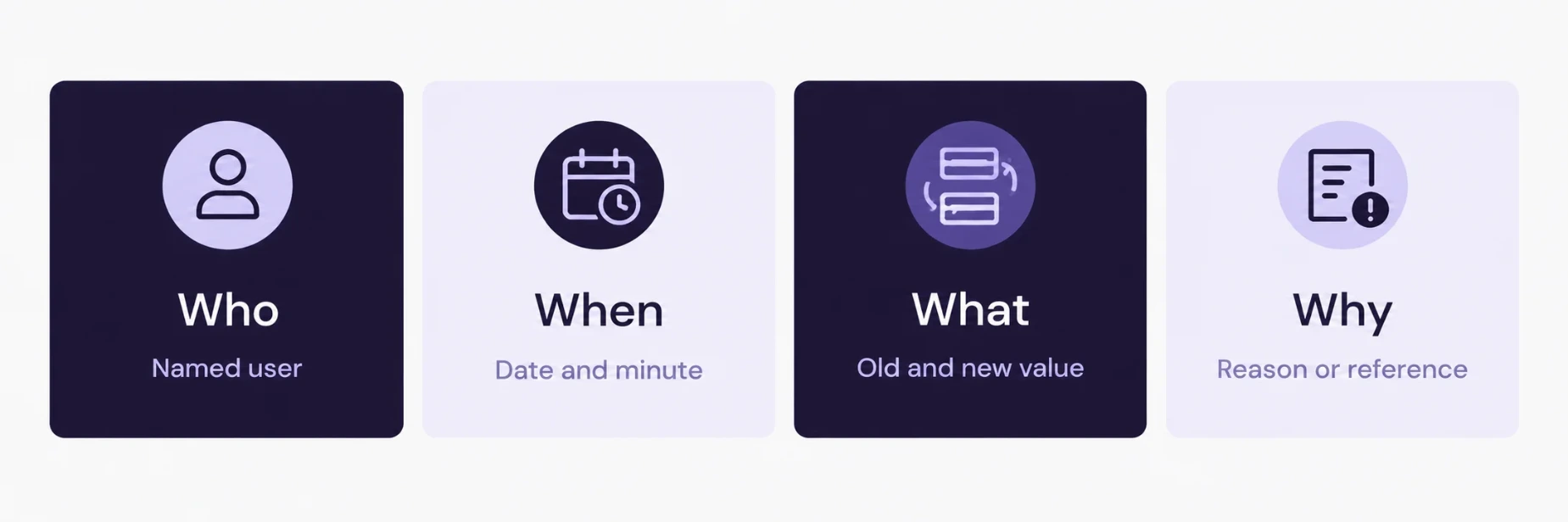
An audit trail is a record of changes that answers four questions about any piece of data.
Who made the change, identified by a named user account.
When it was made, down to the minute.
What changed, with the old value and the new value.
Why it changed, where a reason or reference exists, such as a ticket, an approval or an email.
The first three can be captured automatically. The fourth usually needs a habit: a note in the record, a linked ticket, an approval step. A trail that holds all four gives finance, internal audit and external auditors the same version of events.
Why Finance Teams Need One
Three situations bring the trail into daily use.
Fraud prevention and detection. Changes to supplier bank details, payment terms and approval limits are the classic points where payment fraud enters an accounting system. A trail lets a reviewer compare recent changes against what was authorised.
Audit and review. Auditors test whether controls operate and whether records can be relied on. A system that shows the history of a change makes that testing faster for everyone involved.
Record retention. The UAE Federal Tax Authority states that corporate tax records must be kept for at least seven years after the end of the tax period they relate to. The authority’s guidance is published on the Federal Tax Authority website, and the retention rule is worth confirming there for your own situation. A seven-year obligation applies to the history of the data as well as the final figures, so the trail needs the same retention as the records it protects.
Check 1: Coverage
The first check asks which fields the system tracks. Most ERPs track some fields and ignore others, and the difference is rarely visible until someone needs the history.
In Odoo, the chatter on a record shows changes only for fields that are configured as tracked. A field outside that list can change without leaving a visible entry. Open the supplier form and look at the chatter after editing three fields: the bank account, the payment terms and the contact email. Note which edits appear.
Build a list of fields that carry financial or compliance risk and confirm each one is tracked:
Supplier and customer bank account details
Payment terms and credit limits
Tax IDs, tax settings and fiscal positions
Product prices, cost and discount rules
Approval limits and approval rules
Chart of accounts changes
User access rights and security groups
Any field on that list that fails the test needs tracking enabled. For custom fields and custom modules, tracking is a one-line setting at development time and a long retrofit afterwards.
Check 2: Who Can Read and Who Can Edit
A trail has value only if the right people can read it and the wrong people cannot change it.
Readers. Finance managers, internal audit and the ERP administrator need access to the history of key records. Confirm that these roles can open the change history and that nobody else needs to.
Editors. Confirm that ordinary users cannot edit or delete the log itself. A trail that an administrator can quietly rewrite gives weaker assurance than one with protected records.
Shared accounts. A trail that records “admin” as the author says nothing about the person. Every user needs a named account, and shared logins have to go. The same rule covers integration users, which the next sections cover.
Check 3: Retention
Retention covers how long the trail stays available and in what form.
Ask four questions of your own system:
How far back does the change history go today?
Does any clean-up job, archive routine or database maintenance task delete old log entries?
Are logs included in backups, and has a restore of a log ever been tested?
When the system is migrated or upgraded, does the history move with it?
The last question catches the most teams. An upgrade project often migrates balances and open documents and leaves history behind. If the seven-year record obligation applies to your business, plan the history migration at the start of the project and test it with real examples.
Check 4: Integrity of Posted Entries
Accounting records need a stronger guarantee than a visible history. The question is whether a posted entry can be changed afterwards without anyone noticing.
Odoo’s accounting application includes a data inalterability feature. According to Odoo’s accounting documentation on data inalterability, enabling the option that locks posted entries with a hash makes posted journal entries unalterable. Each entry is linked to a cryptographic hash, so a later change to an earlier entry breaks the chain and shows up in an integrity check. The documentation also states that once the option is enabled and an entry has been posted, it cannot be edited or disabled. The option appears under different names across versions, so check the name in your own release, and treat the decision to enable it as permanent.
This setting protects posted accounting entries. It does not cover master data such as supplier details, so Checks 1 to 3 still apply to everything around the journal.
Two practical points follow:
Corrections stay possible. A posted entry stays as it is, and a correction is made through a reversing entry or credit note. The history then shows the original and the correction side by side, which is what a reviewer wants to see.
Enable it deliberately. Because the setting cannot be reversed, switch it on after confirming the accounting configuration with the finance lead and the auditors.
Check 5: Review
A trail nobody reads protects nothing. The fifth check asks whether anyone looks at the history on a schedule.
A monthly review takes about an hour and covers the changes that matter most:
Every change to supplier bank details in the month, matched against an approved request
Changes to payment terms, credit limits and approval rules
New users, removed users and changes to security groups
Manual journal entries above an agreed value, with their approvers
Entries posted outside normal working hours or by unusual users
Record the review itself: who did it, when, what was checked and what was found. That record becomes evidence for the next audit.
Imports, APIs and Integrations
Bulk imports and API connections change data in volume, and they often change it under a generic account. Three rules keep the trail meaningful.
Give every integration its own named service account. The trail then names “payments gateway sync” as the author of each change.
Grant the minimum access. A service account that reads orders does not need to edit supplier bank details.
Log import batches. Keep the import file, the user who ran it and the date, and link them to the records that were created or changed.
The trail on an integrated system is only as clear as the least specific account that touches it.
The 30-Minute Test
Anyone in finance can run this test without help from IT. It takes about half an hour and gives a direct answer on whether the trail works.
Pick a supplier record and change the bank account number in a test or sandbox copy of the system. Save it.
Find the change. Locate the entry that shows the user, the time, the old value and the new value. Note how long it took.
Change a second field that is on your risk list, such as payment terms, and repeat.
Post a test journal entry in the sandbox, then try to edit it. Note what the system allows.
Open the history as a different user, such as an auditor or a standard accountant, and note what each role can see.
Ask for the oldest change the system can show for a real supplier. The date tells you the effective retention.
Write the results in a short table: field, tracked or not, time to find, readable by whom. A gap in any row becomes an action with an owner and a date.
Common Gaps
A few findings appear repeatedly when teams run this test for the first time.
Custom fields without tracking. Fields added by developers for convenience rarely carry the tracking setting.
Shared administrator accounts. The trail shows an administrator and no person.
History cut at an upgrade. The system shows changes from the migration date forward.
Imports under one login. Hundreds of changes sit under the same name with no batch reference.
Logs nobody reviews. The data exists and the control does not.
Each of these has a direct fix, and each fix costs far less before an incident than after one.
A Simple Control Map
Finance leads often want one page that summarises the position. A four-column table does the job.
Data | Risk | Trail in place | Reviewed |
|---|---|---|---|
Supplier bank details | Payment redirection | Tracked field, named users | Monthly |
Payment terms | Cash timing | Tracked field | Monthly |
Posted journal entries | Misstated records | Hash lock, reversal only | At close |
User permissions | Unauthorised access | Change log | Quarterly |
Fill it in with your own data and share it with the auditor before they ask for it.
Conclusion
An audit trail answers who, when, what and why for every change that matters. Five checks show whether an ERP delivers it: coverage of the fields that carry risk, controlled access to the history, retention that matches the record obligation, integrity of posted entries and a review that someone performs on schedule. The 30-minute test turns those checks into evidence.
Teams that want help reviewing the configuration of an existing system can look at SSD4ME’s Odoo ERP services and the Enterprise Software Consulting team.
Frequently Asked Questions
It is a record of changes to data in the ERP. For each change it shows who made it, when, which field changed, the old value and the new value, and ideally the reason. Finance, internal audit and external auditors use it to verify that records can be relied on.
The UAE Federal Tax Authority states that corporate tax records must be kept for at least seven years after the end of the relevant tax period. The trail that supports those records needs the same retention. Confirm the current rule on the Federal Tax Authority website for your situation.
Only for fields configured as tracked. The chatter shows changes for those fields, so fields outside that list can change without a visible entry. Review the tracked fields on supplier, customer, product and accounting records and enable tracking on anything that carries financial risk.
It links each posted journal entry to a cryptographic hash, which makes posted entries unalterable and lets an integrity check detect any later change. Odoo’s documentation states that once the option is enabled and an entry has been posted, it cannot be edited or disabled. Corrections are made with reversing entries.
A finance manager or internal audit should review the changes that matter most every month, including supplier bank details, payment terms, user permissions and manual journal entries. Record each review so it can serve as evidence.
Each integration needs its own named service account with minimum access, and each import batch needs a record of the file, the user and the date. The trail then identifies the source of every automated change.